
Skip to content
DineSlate

RESTAURANT RESERVATION & MANAGEMENT SYSTEM

The complete reservation and management platform for your restaurant.

Reservations, tables, guests and analytics — all in one system.

Bring online, phone and walk-in reservations together, manage the restaurant Diagram and Floorplan, assign tables and configured combinations, organise the waitlist and maintain a complete guest history.

DineSlate connects daily operations with confirmations, reminders, feedback and detailed analytics through a bilingual white-label experience adapted to your brand.

  • Online, phone & walk-in reservations
  • Diagram, Floorplan & tables
  • Assignments & table combinations
  • Waitlist
  • CRM & guest history
  • Confirmations, reminders & feedback
  • Analytics & exports
  • White-label experience in EL / EN

No fixed monthly platform fee. You are charged €1 plus applicable VAT only when there are confirmed online bookings — regardless of party size.

Try DineSlate for one month with no reservation charges.

Onboarding access is sent through a personal invitation link after a short review of the restaurant’s details.

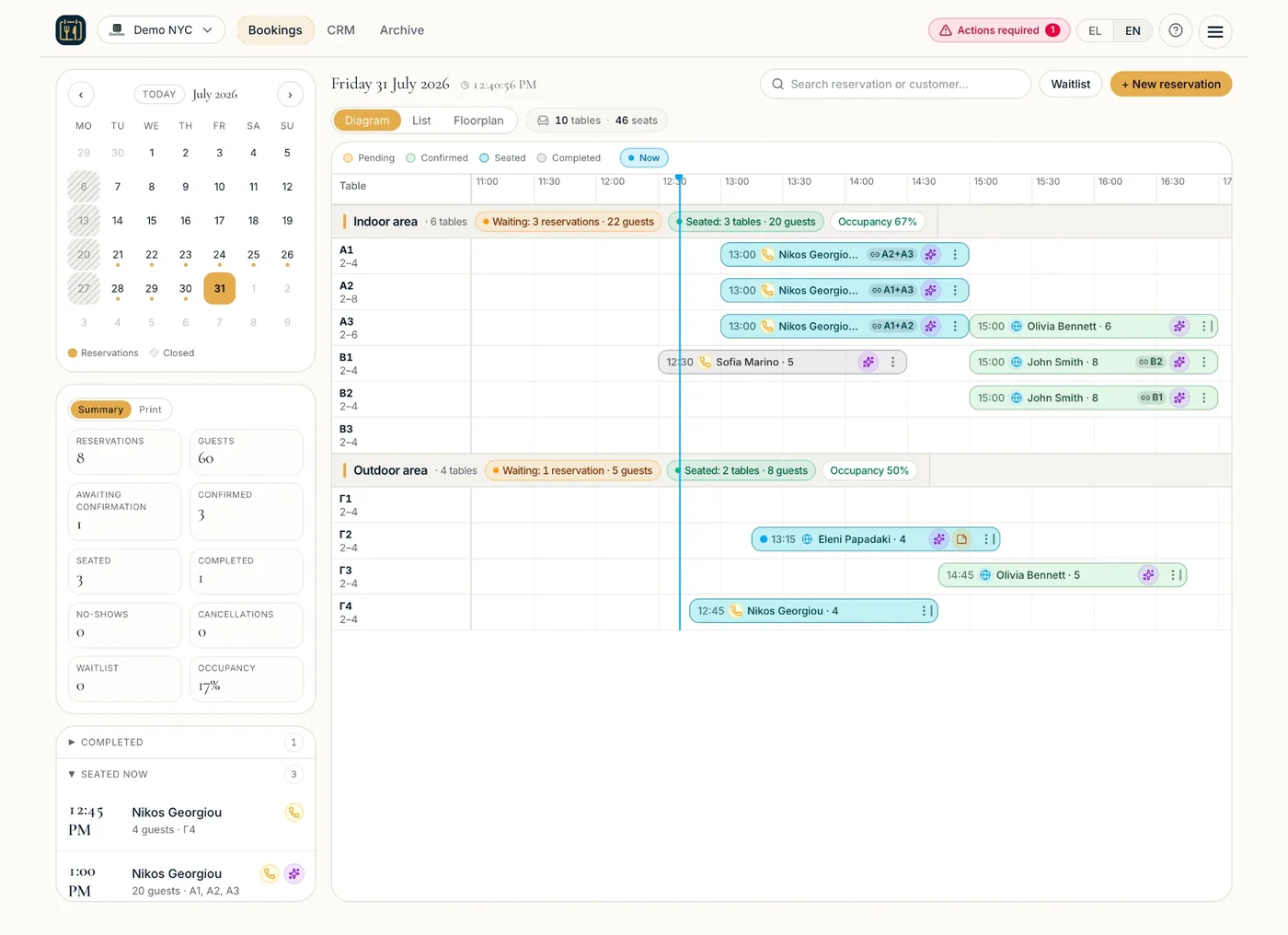
Complete DineSlate dashboard for restaurant reservations, tables and daily operations

HOW IT WORKS

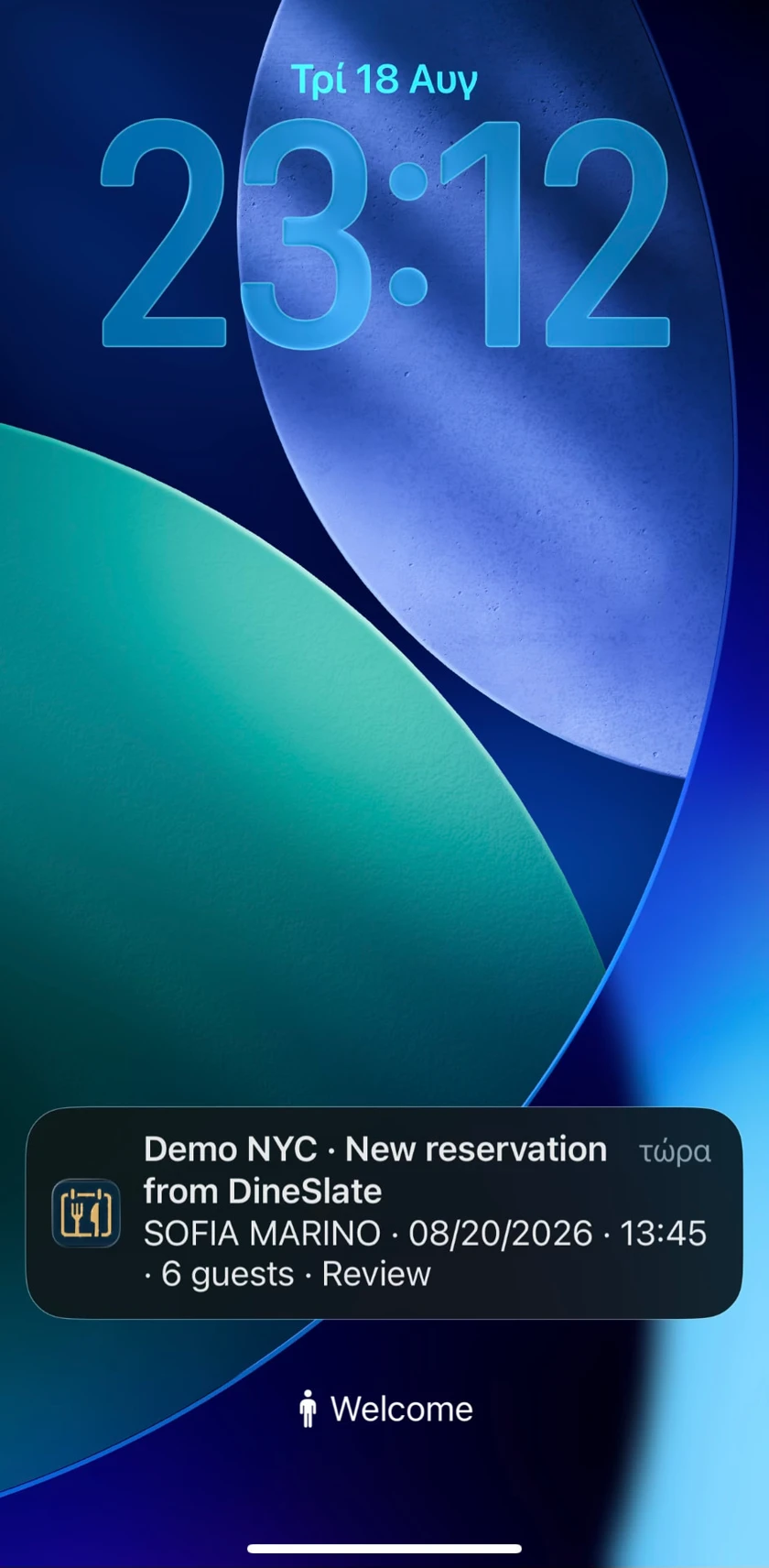
The request reaches the manager wherever they are.

One tap from the email is enough to check availability and make a decision.

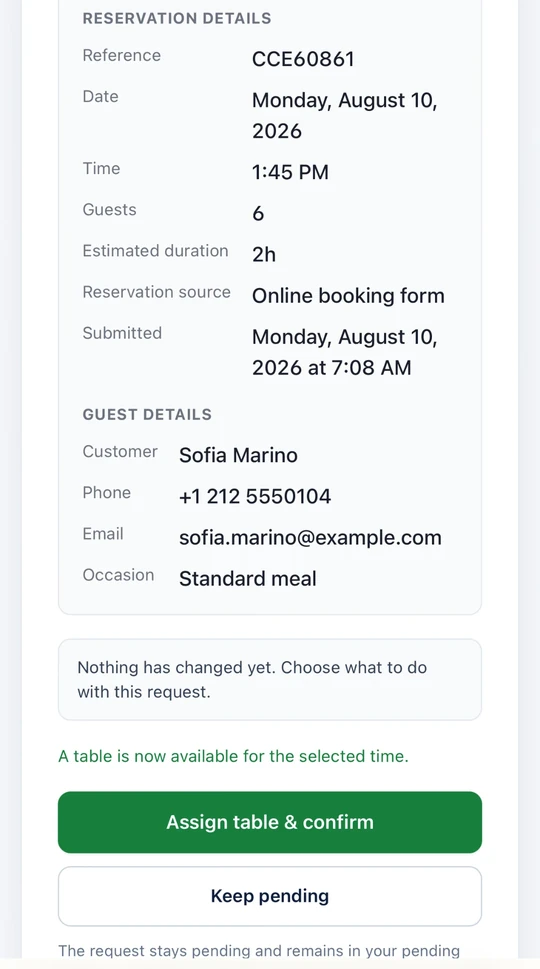
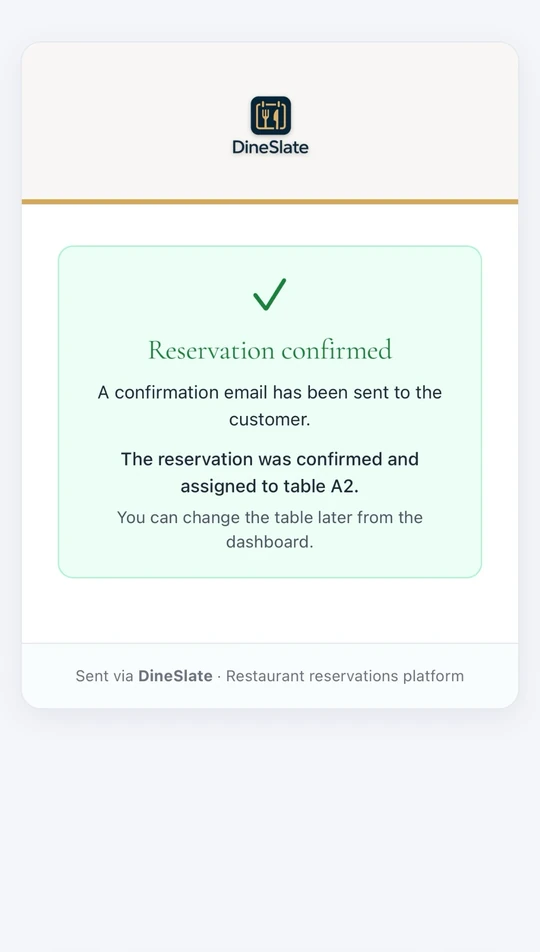
As soon as a guest submits an online reservation request, DineSlate immediately sends an email notification to the manager. The secure button in the email opens that specific reservation directly, allowing the manager to process it without searching for the request or signing in to the dashboard.

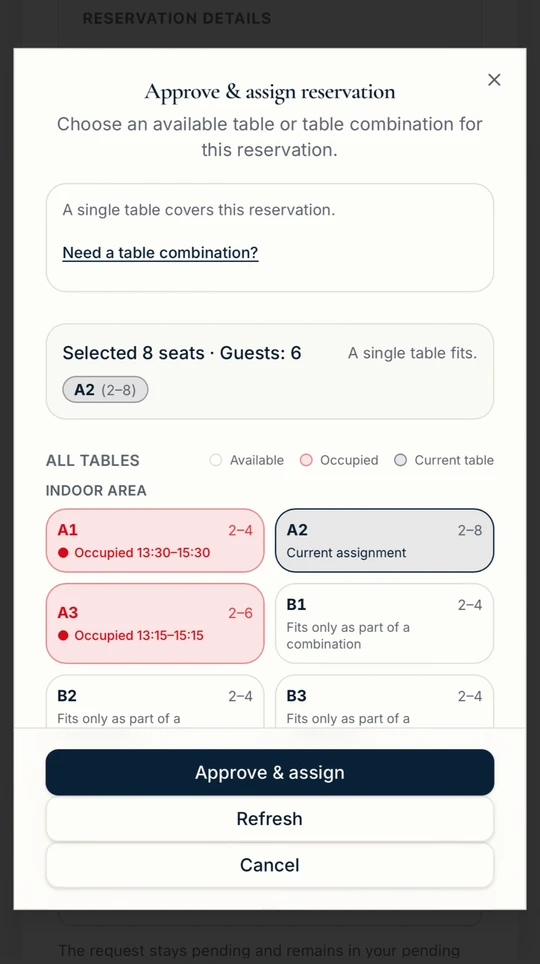
The manager sees real availability, selects the appropriate table or a configured table combination, and decides whether to accept or decline the request.

No reservation is confirmed without the restaurant’s decision.

The guest submits a reservation request.

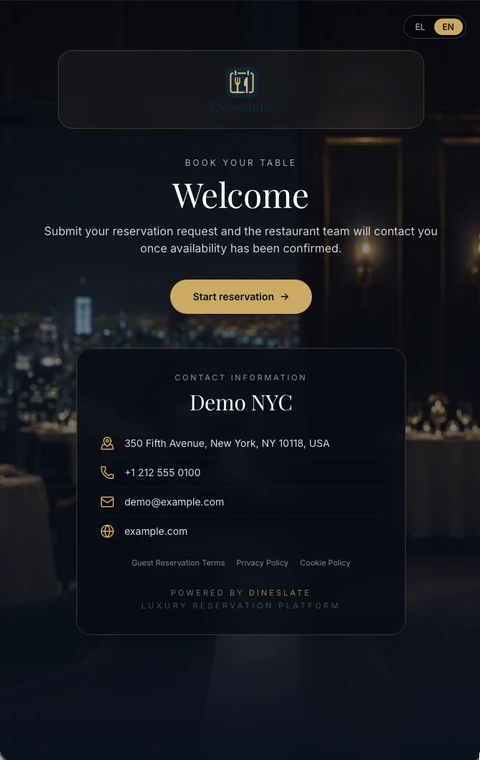
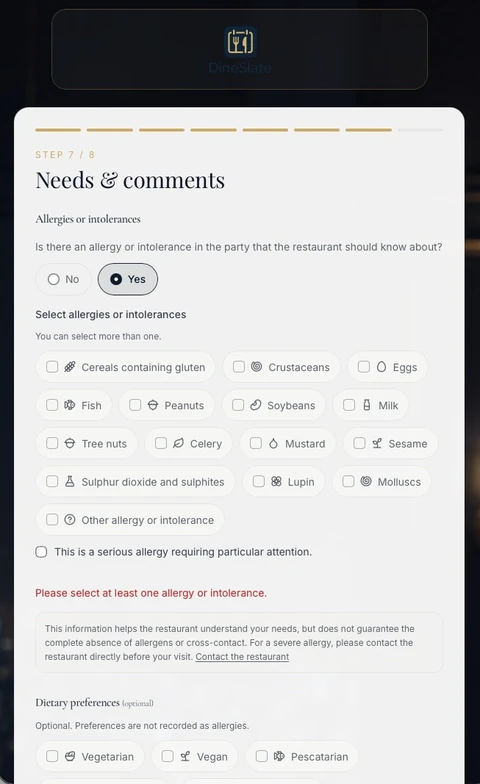
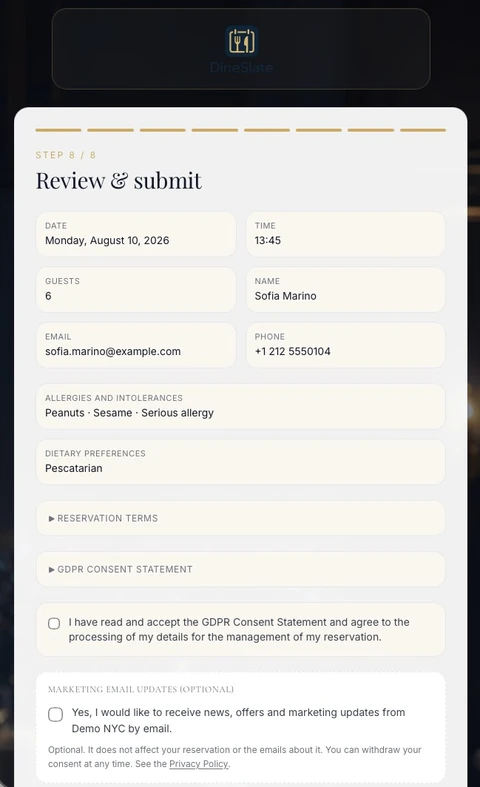
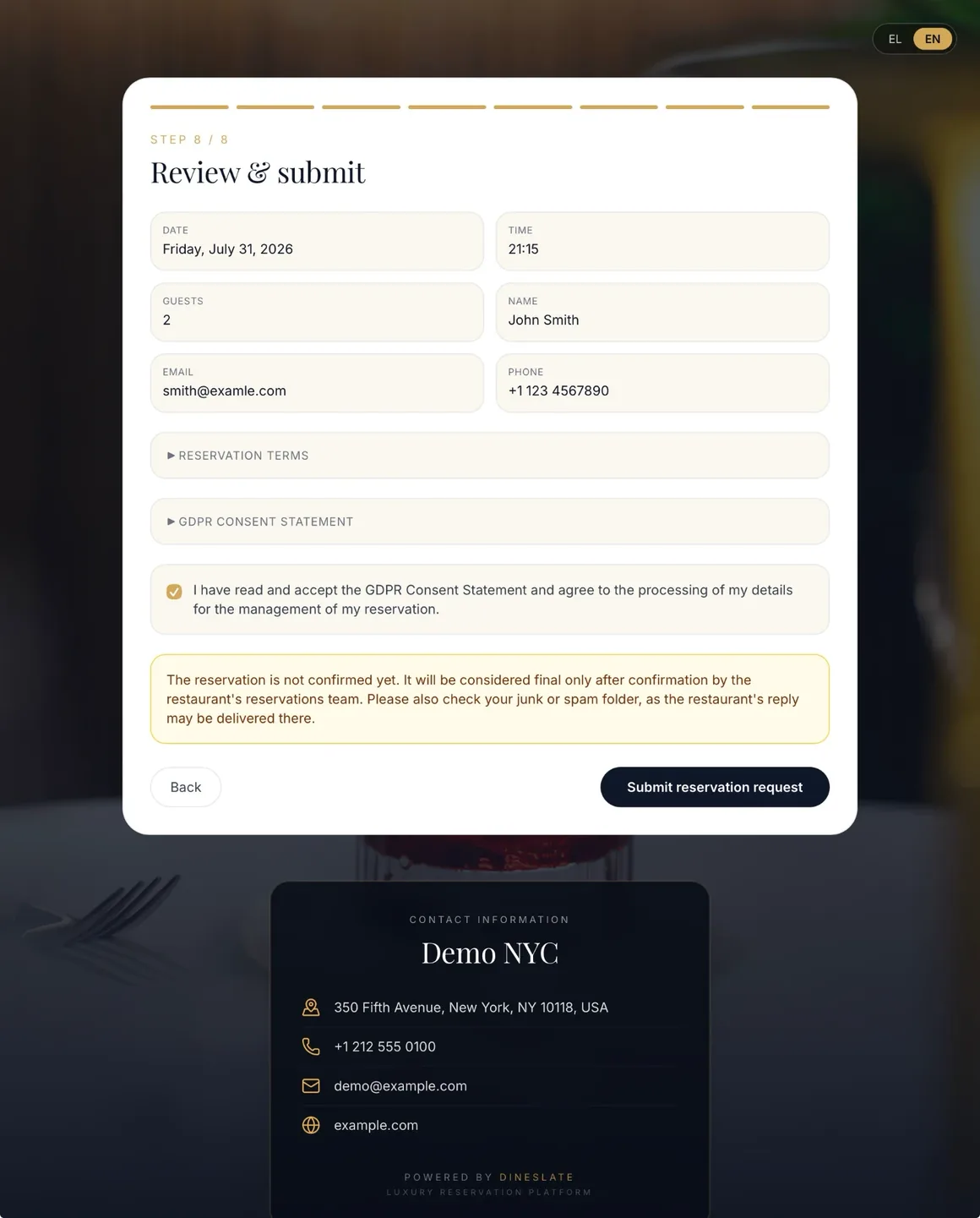
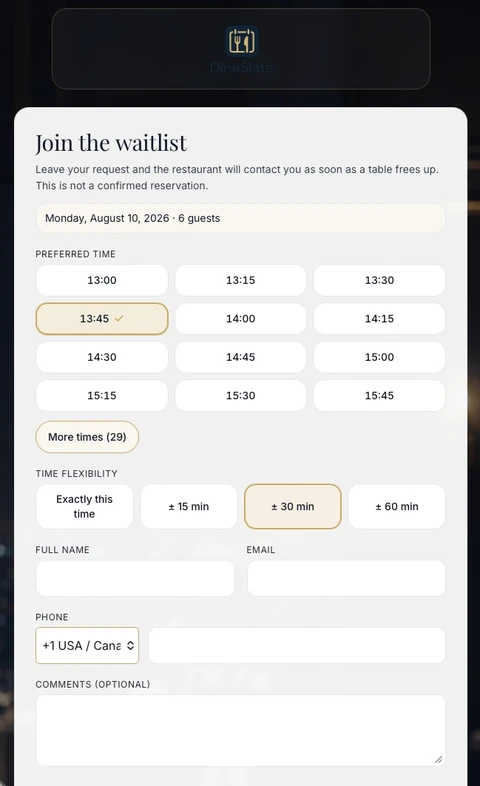
The guest selects a date, time, party size and seating area through the restaurant’s white-label booking page.

The page is adapted to the restaurant’s logo, colours, photography, content and links, making the booking experience a natural continuation of its brand.

Submitting the form creates a reservation request, not an automatic or final confirmation.

  • White-label experience
  • Real available times
  • Area and party-size selection
  • Request — not automatic confirmation
DineSlate white-label reservation-request page

White-label reservation-request page

CLOUD APPLICATION · PWA

A restaurant does not operate from one desk. Neither does DineSlate.

DineSlate is a cloud-based application and remains available wherever there is an internet connection. Managers and staff can use the platform from a computer, tablet or mobile phone, either through the browser or as an installed PWA.

Reservations, Diagram, Floorplan, Waitlist, CRM and analytics remain synchronised without a local server or specialised software installation.

  • Computer
  • Tablet
  • Mobile
  • Installable PWA
  • Cloud access from anywhere
  • Synchronised operation
  • No local server
  • No specialised software installation

From the reservation email to full floor management, the manager carries control with them.

DAILY OPERATIONS IN REAL TIME

From the complete picture of the day to every detail of each reservation.

Diagram, Floorplan and complete history — three views of the same synchronised operation.

Managers can follow reservations across the day’s timeline, see the real state of every table on the Floorplan and open each reservation to manage its next action and complete history.

Every meaningful change is updated in real time, allowing the team to work from the same operational picture on computer, tablet or mobile.

The whole day on one timeline.

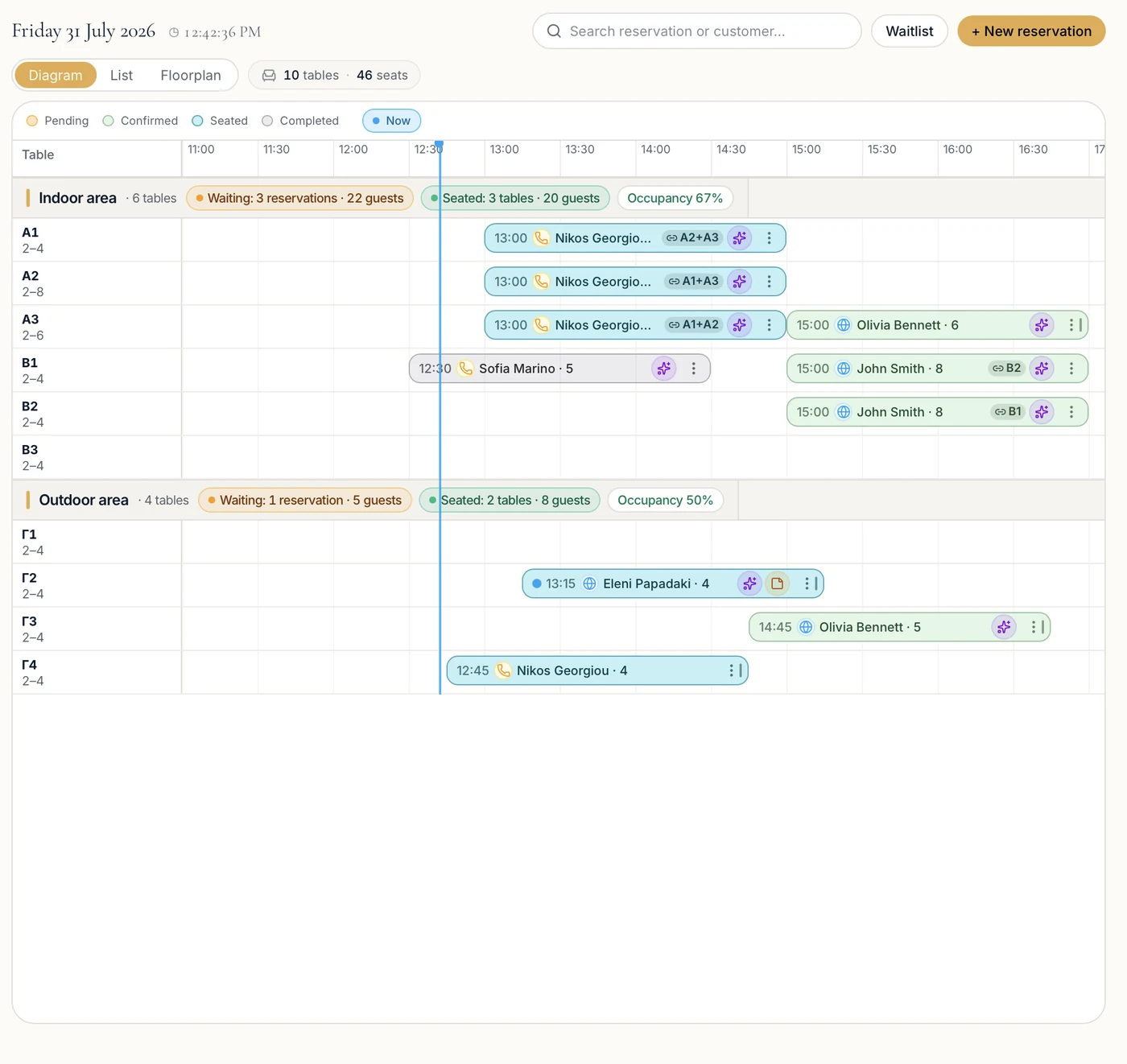
The Diagram places every reservation on the restaurant’s real service timeline and on its assigned tables.

Managers can immediately see which requests are awaiting confirmation, which reservations are confirmed, which parties are already seated and when each table is expected to become available.

Areas, reservations, guests, table combinations and operational occupancy come together in one view of the day.

  • Reservation timeline
  • Status of every reservation
  • Tables and combinations
  • Areas, guests and occupancy
  • Real-time updates
DineSlate daily Diagram showing reservations, seating areas and table assignments

Timeline view of reservations and tables

Three different views. One shared and continuously updated picture of the operation.

Controlled data migration

Import available and compatible customer and reservation data from CSV or Excel files following a technical review.

See how the transition works

FEEDBACK & INTERNAL QUALITY CONTROL

The visit ends. The restaurant’s opportunity to learn has just begun.

Every evaluation is automatically connected to the real reservation and the context of that specific visit.

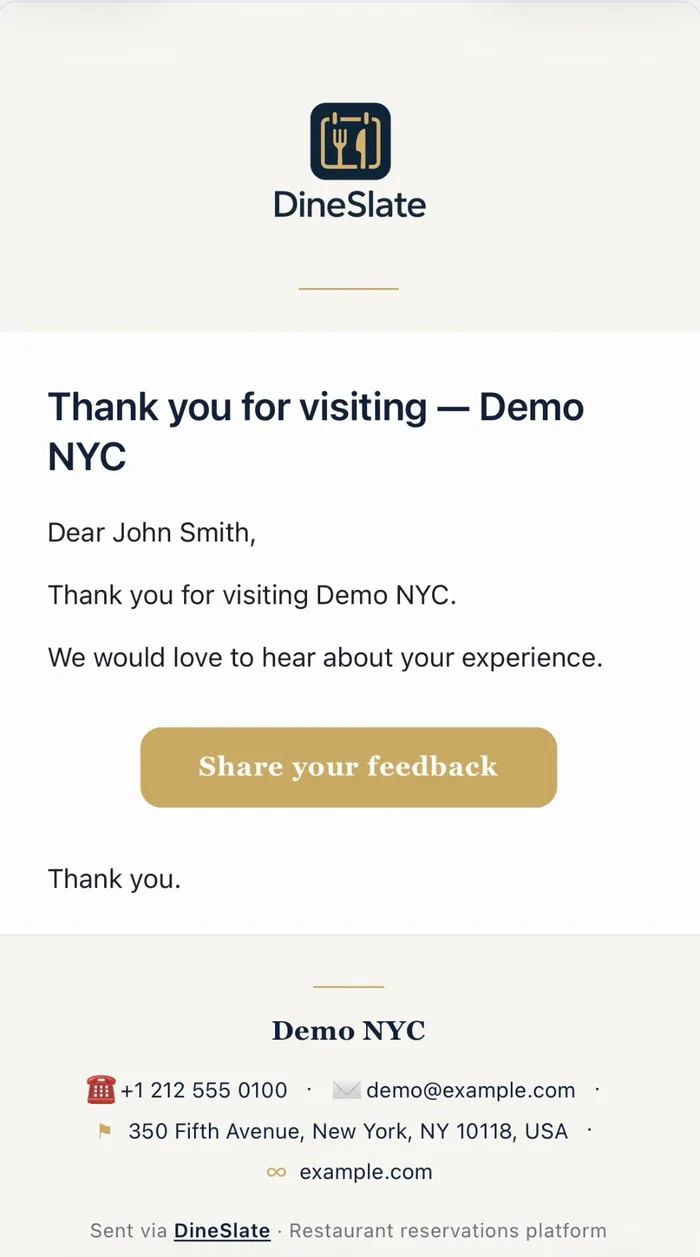
Twenty-four hours after the visit, the guest receives an email inviting them to evaluate their experience.

The evaluation does not remain an isolated message. It is linked to the specific reservation, guest, date and visit history, allowing the restaurant to use it for internal quality control and continuous service improvement.

Email → Feedback form

The guest is invited to share their experience.

Twenty-four hours after the visit, DineSlate sends a thank-you email with a secure button leading to the feedback form.

The message reflects the restaurant’s identity and is sent to the guest connected to that specific visit.

  • Automatic post-visit delivery
  • Linked to the specific reservation
  • Branded communication
  • Direct access to the feedback form
Email inviting a guest to evaluate their experience after the visit

Post-visit feedback invitation email

Not isolated reviews. Feedback with the real context of the visit.

Feedback that can lead to real improvement.

Because every response remains connected to its reservation, management can review the real context of the visit, identify recurring issues and use the results to improve team training and operational processes.

RESERVATION · GUEST · CRM

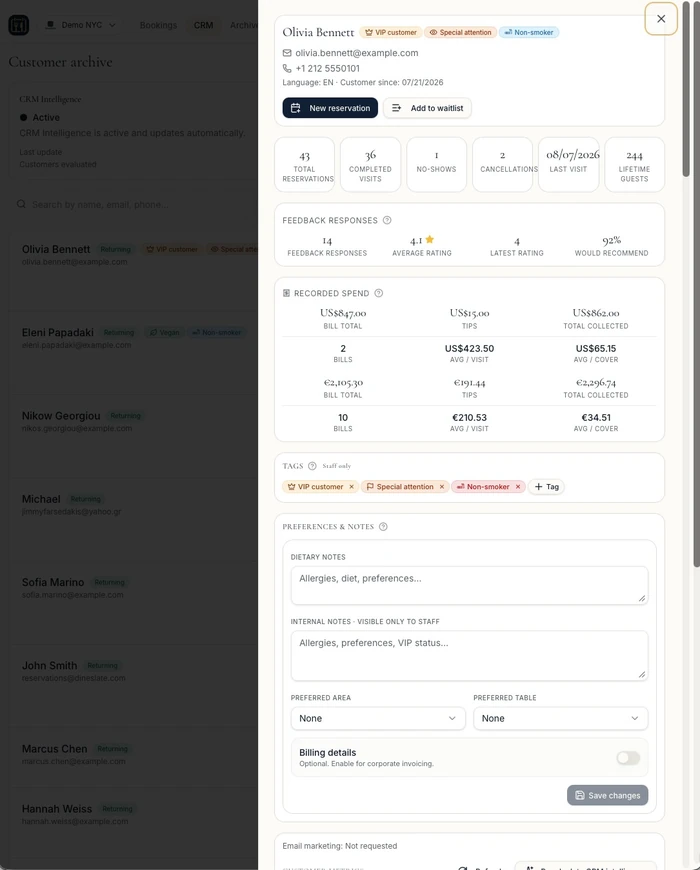
From one visit to a complete guest profile.

Every reservation enriches the knowledge that helps the team provide more personal and consistent service.

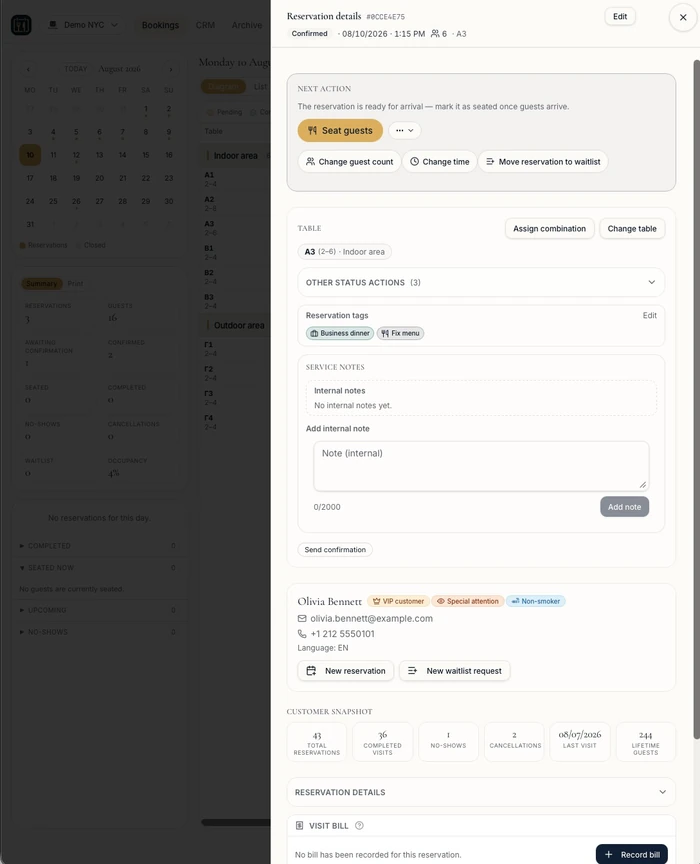
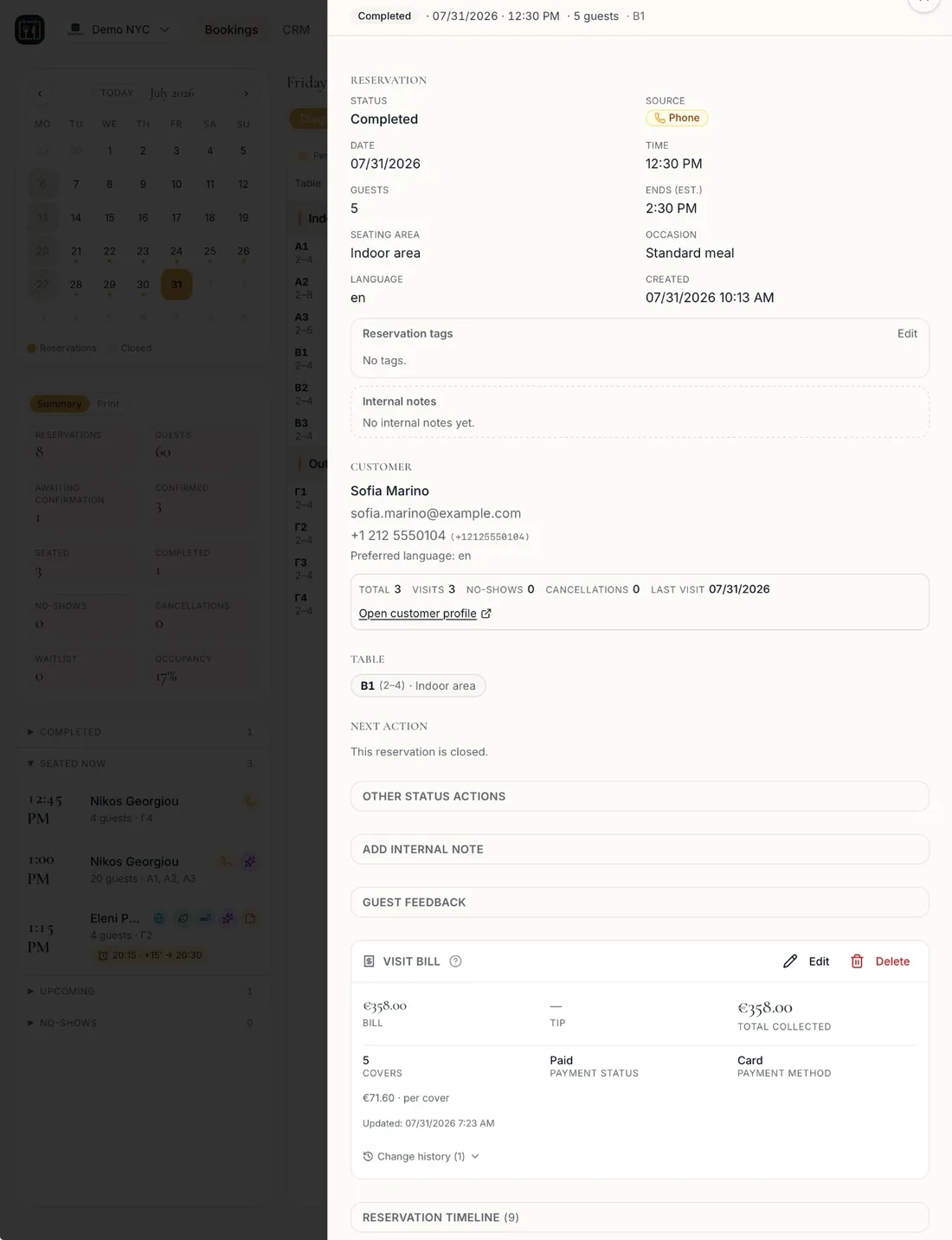
The detailed reservation record brings together the visit status, guest information, assignment, notes, feedback, bill and complete action history.

This information connects to the guest’s unified CRM profile, gradually creating a complete picture of their visits, preferences and individual needs.

The complete picture of a specific visit.

The reservation record brings together the visit details, booking source, seating area, table, occasion, communication language and link to the guest profile.

After completion it can also show the visit bill recorded by the team, covers, payment method, feedback and complete action history.

This allows the team to understand what happened during the specific visit before moving to the guest’s wider history.

  • Visit details and status
  • Source, area and table
  • Link to the guest profile
  • Internal notes and feedback
  • Manually recorded visit bill
  • Complete action history

The best service begins before the guest arrives.

Completed reservation record showing guest details, recorded bill and action history

Detailed record of a completed reservation and visit

A reservation does not disappear after completion. It becomes useful knowledge for the next visit.

Reservations create history. Feedback adds qualitative context. CRM organises the guest relationship. Analytics turns all of it into decisions.

Moving to DineSlate

Switch platforms without starting from zero

The customer and reservation history you have built over the years does not have to be left behind.

DineSlate can import available and technically compatible customer and reservation data from CSV or Excel files exported from your previous system. Before any import, we perform a technical review and clearly explain which data can be transferred.

Examples of compatible data

  • Customer details
  • Reservation history
  • Cancellations and no-shows
  • Future reservations
  • Reservation sources
  • Compatible notes

The process in three steps

  1. Provide your export file

    We use the available CSV or Excel export from your previous system.

  2. We check compatibility

    We review the structure and quality of the data and explain what can be transferred.

  3. We complete a controlled import

    The migration proceeds only after technical review and confirmation of the import plan.

The file will be requested securely after the initial review of your application.

Import availability depends on the format, completeness, quality and technical compatibility of the available data.

Analytics & business insight

Operational data becomes one of the restaurant’s most valuable tools.

From reservations and guests to the waitlist and the use of every table, DineSlate reveals what is actually happening.

Knowing how many reservations were created is not enough. Restaurants need to understand how many were confirmed, how many guests returned, how quickly the team responded, how the waitlist performed and which tables were genuinely used.

With date-range selection, previous-period comparison and filters by service period, area, source and outcome, DineSlate organises daily operational data into a clear picture that helps management identify what works and where improvement is needed.

When data has context, decisions no longer depend on assumptions.

  • Filters by period, service period, area, source and outcome
  • Previous-period comparison
  • Aggregate-level reports
  • CSV and Excel exports

The complete performance picture without searching across separate reports.

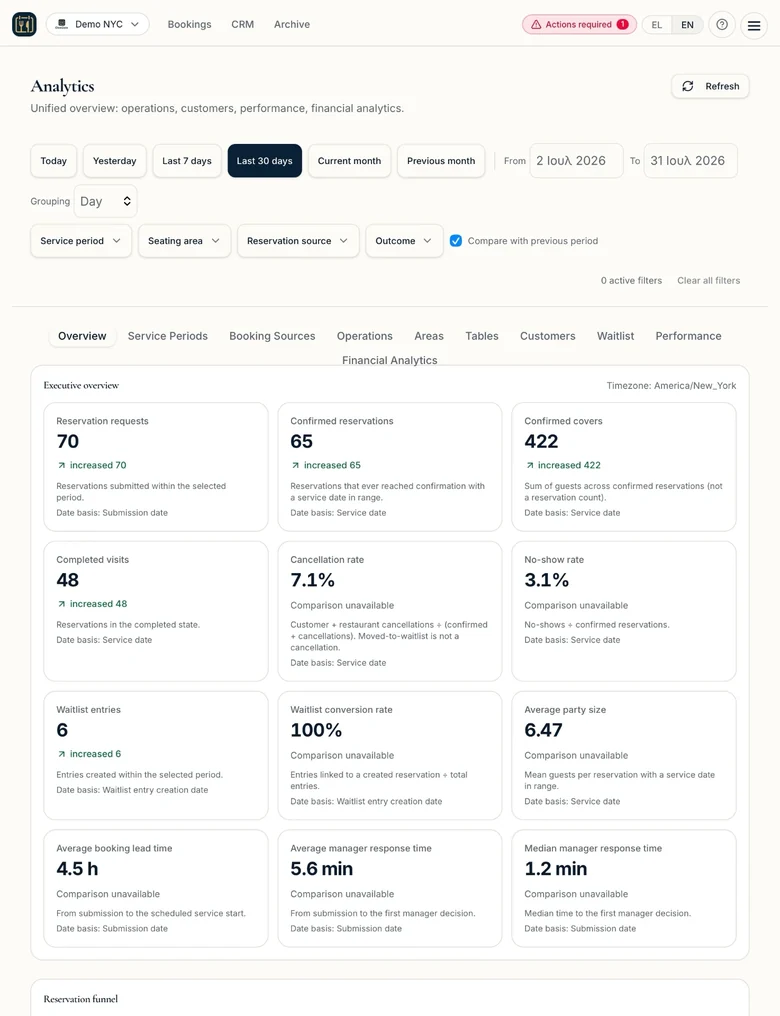
The Overview brings together the key figures for the selected period: reservation requests, confirmed reservations, confirmed covers, completed visits, cancellations, no-shows and waitlist outcomes.

It also presents operational indicators such as booking lead time and manager response time, helping management understand both demand and the speed of handling reservation requests.

  • Requests and confirmed reservations
  • Confirmed covers
  • Completed visits
  • Cancellations and no-shows
  • Waitlist performance
  • Booking lead time
  • Manager response time
Analytics overview showing reservations, covers, visits, cancellations and response times

Aggregate overview of reservations and operational performance

Measure. Compare. Improve.

Reservations create data. DineSlate organises it, connects it to real operations and turns it into knowledge that can support better decisions.

Where financial figures are shown, they are based only on visit bills recorded in DineSlate. No automatic POS integration or complete representation of restaurant revenue is implied.

PRICING

A complete platform without a fixed subscription. An optional website for restaurants that need one.

The DineSlate Platform is a standalone service charged only when the restaurant receives confirmed online reservations. Website creation is a separate optional add-on for active Platform users.

One month free

Complete DineSlate Platform

No fixed monthly subscription. Charging begins only when there are confirmed online reservations.

€1+ VAT per confirmed online reservation

Regardless of party size.

Try it for one month with no reservation charges.

  • Unlimited phone and walk-in reservations, never charged
  • Manager approval for every request
  • Floor plan and table combinations
  • Waitlist and guest CRM
  • Automated guest emails and reminders
  • Analytics and exports
  • White-label booking page
  • Online booking buttons send guests to the restaurant's DineSlate white-label booking page
  • No monthly subscription
  • No setup or training fee
  • No minimum term — no termination penalty
  • No charge for cancellations or no-shows

Optional extension of the Platform

Restaurant Website

€39+ VAT / month

A complete bilingual website connected to the restaurant’s white-label booking page.

  • Design adapted to the restaurant brand
  • Greek and English
  • Domain and hosting
  • Technical operation and maintenance
  • DineSlate booking integration

Term

  • Initial term: 36 months
  • Afterwards: annual renewal option
  • Non-renewal notice: 60 days before the end of the current term

Essential condition

The Restaurant Website is available exclusively as an add-on to an active DineSlate account. Active use of the Platform is required throughout the add-on term and is a condition of the preferential €39 + VAT monthly price.

If Platform use ends, the Website cannot continue independently at the same price and under the same commercial terms.

All prices are in euro and exclude VAT.

Data migration availability is reviewed separately, based on the format and compatibility of the available file.

FREQUENTLY ASKED QUESTIONS

Everything you need to know before getting started.

DineSlate combines a complete operational platform with a straightforward charging model. These answers explain reservation confirmation, charges, the white-label experience, data handling and the terms of the optional Website add-on.

No automatic confirmation. No fixed subscription for the core Platform.

  • DineSlate is a complete cloud-based restaurant reservation and operational-management platform. It brings online, phone and walk-in reservations, the Diagram, Floorplan, Waitlist, guest CRM, communication, feedback and analytics into one system.

Still have a question?

Contact us to discuss your restaurant’s requirements and configuration.

THE STORY BEHIND DINESLATE

Designed around the real everyday operation of hospitality.

Greece is a country synonymous with hospitality. Every day, thousands of restaurants and hospitality venues welcome people and create experiences built on care, personal connection and attention to detail.

Behind that experience, however, lies a complex daily operation: reservations, tables, changes, guest communication and countless decisions that must be coordinated with precision.

After more than 20 years of involvement in the restaurant industry, working across different roles and perspectives, I created DineSlate as a modern and accessible response to these real operational needs. A Greek startup that aspires to help restaurants and hospitality venues organise their operations more effectively, retain control of the guest experience and make use of technology in a simple, meaningful and financially sustainable way.

Dimitris Farsedakis, founder of DineSlate

Dimitris Farsedakis

Founder, DineSlate

CONTACT

Let’s explore how DineSlate could work for your restaurant.

Send us the essential details about your restaurant. We will review your reservation workflow, operational requirements and venue configuration and contact you to arrange a focused presentation of the Platform.

If we decide to proceed, onboarding begins through a personal invitation and the Platform is configured around the restaurant’s actual operation.

  • A presentation tailored to your restaurant
  • No minimum commitment for the core Platform
  • Personal configuration and onboarding
  • Optional Restaurant Website add-on

By submitting this request, your details will be used to review and respond to your inquiry in accordance with the Privacy Policy.